📌 Key Takeaways
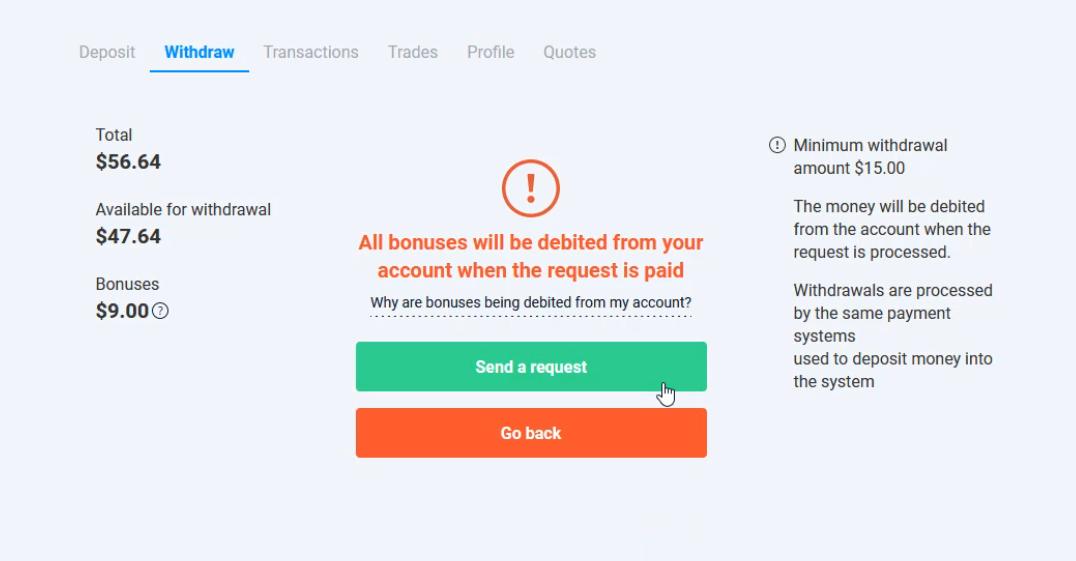
- Bonus Rules: You can only withdraw your generated profits and initial deposits. Bonus funds cannot be withdrawn and will be deducted from your account proportionally when you cash out.
- Symmetric Routing: Olymp Trade automatically routes your withdrawal back to the same payment method (Visa/Mastercard, e-wallet, or Online Banking) you used to deposit.
- Transaction Limits: The minimum withdrawal amount is $15. The maximum limit depends on your account status (up to $1,000,000 daily).
- Fees: Olymp Trade does not charge any processing fees for withdrawals. Your bank may apply local wire clearance charges.
- Verification Requirement: To prevent fraud, you must verify your identity before submitting your first withdrawal request.
When you make profits in Olymp Trade, the first thing you should do is withdraw your money. Securing your trading gains is essential to building long-term trading discipline and keeping your capital safe. There are several ways to cash out, including credit cards, e-wallets like Skrill or Neteller, and direct local bank transfers. Today’s guide will show you how to withdraw money from Olymp Trade to your online banking account step-by-step.
Register an Olymp Trade account NowGet $10,000 Free for beginners
Olymp Trade withdrawal proof to Online Banking account
Watch this video to verify the withdrawal process and see how the funds are cleared:
How to withdraw money from Olymp Trade to Online Banking in 5 steps
Step 1: Select “Withdraw” in the upper right corner of the interface
Log in to your account. On the main trading interface, click on the **”Withdraw”** button located in the top-right corner of the dashboard screen.

Note that the platform automatically selects the same payment method you used to fund your account. If you deposited with your online banking account, Olymp Trade will process your payout via online banking.
Step 2: Enter the amount you want to withdraw
In the withdrawal form field, input the desired amount.
Note: The minimum withdrawal amount is **$15**. The funds will be deducted from your trading account immediately after submitting the request.

Step 3: Fill out your Internet Banking account information
Select your bank from the list. Provide your full name (without accent marks or special characters) and your correct bank account number. Click **”Send a request”**.
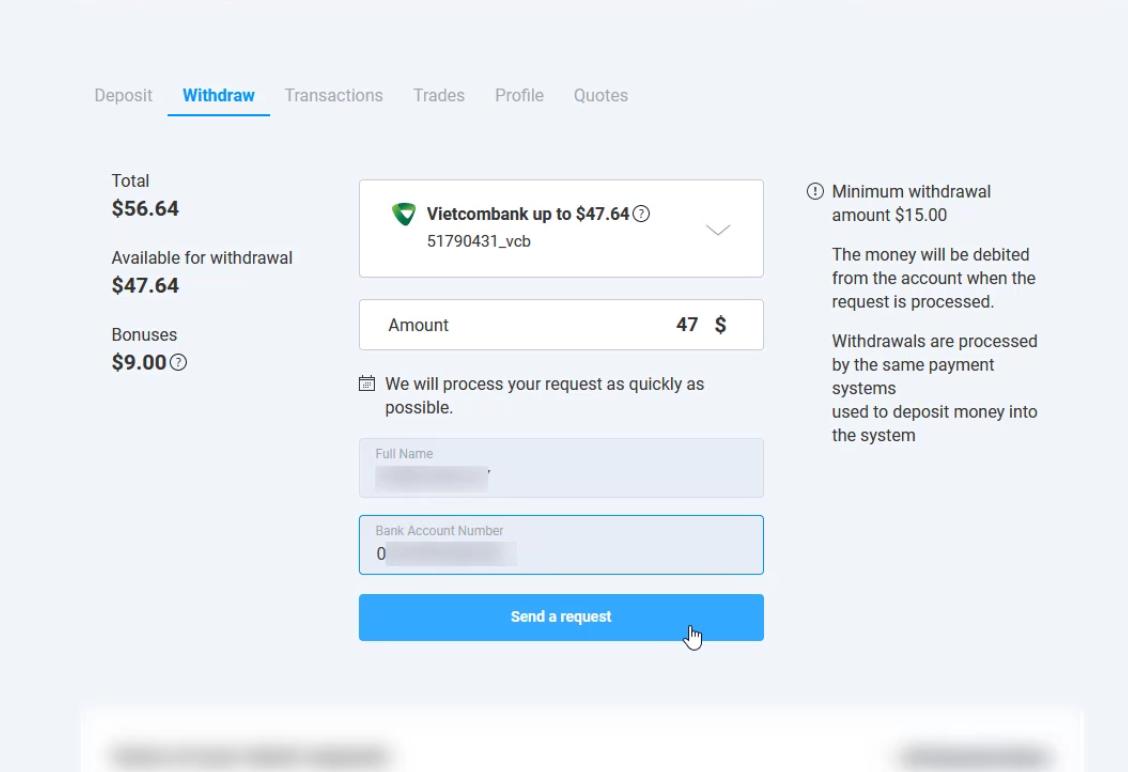
Step 4: Wait for the confirmation notice
The platform will display a confirmation screen. First-time withdrawals take longer as security teams audit your trading history. **Do not cancel your request** once submitted, as this resets your queue position.
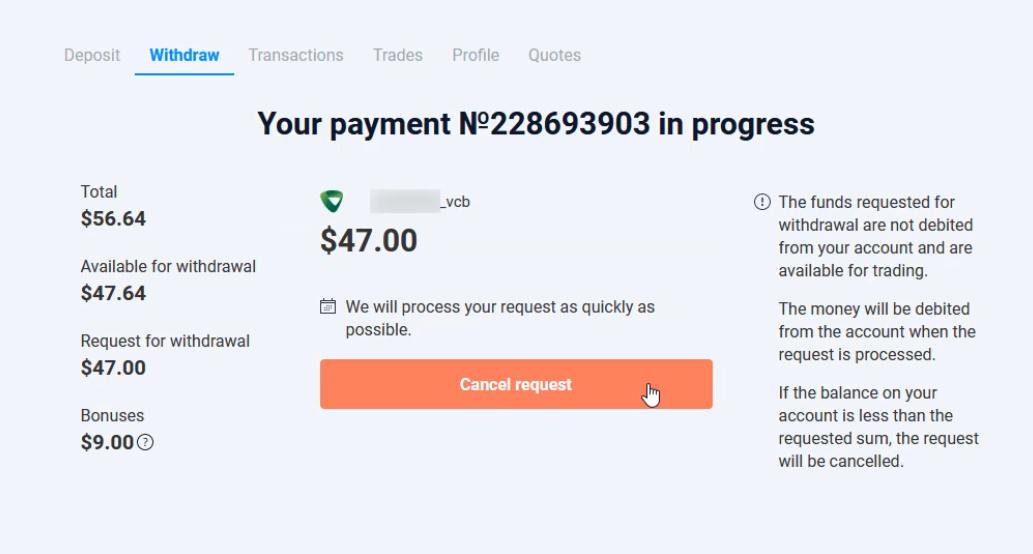
Step 5: Check your bank balance
Once approved and processed, the platform will send a confirmation email. The funds will appear in your bank account shortly.
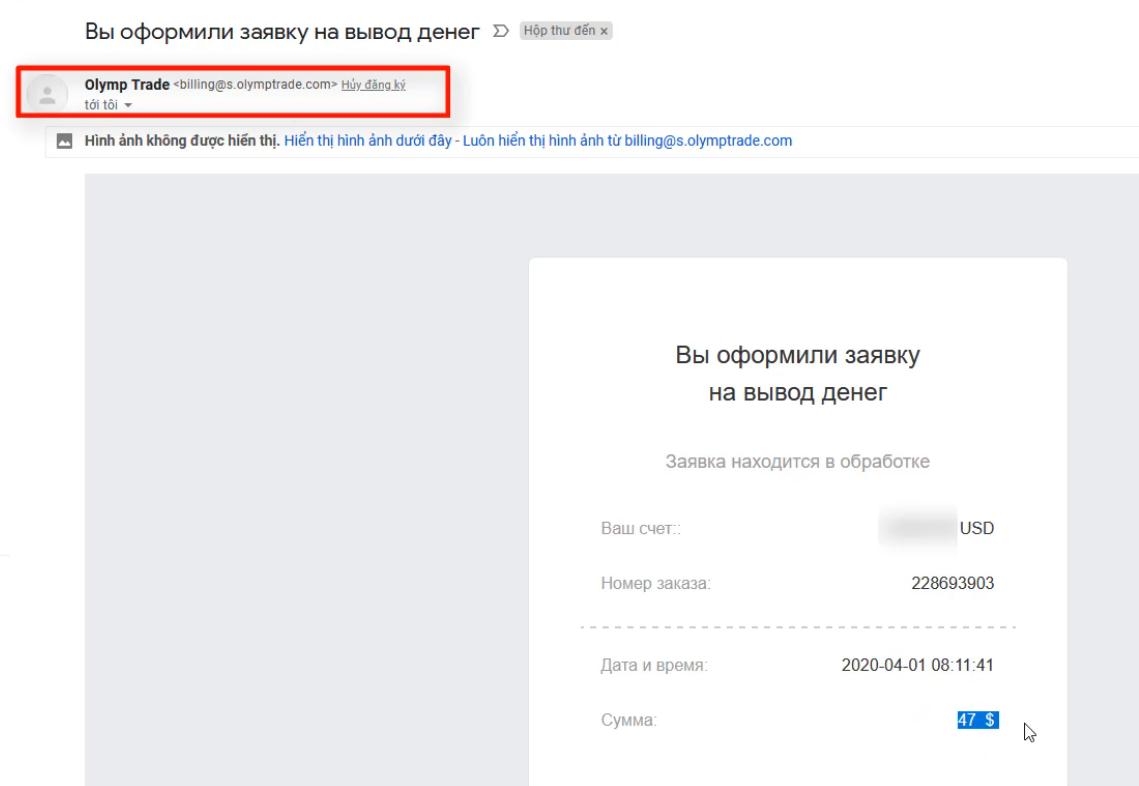
Typically, online banking withdrawals are cleared in 10 minutes to 3 hours, though they can take up to 3 business days depending on bank clearance times.
Olymp Trade withdrawal errors and how to fix them
- Withdrawal balance issues: Your available withdrawal balance is your **Total Balance minus active Bonus funds**. You cannot withdraw bonus money provided by the broker.
- Identity Verification blocks: Under regulatory rules, you must upload a copy of your ID and proof of address before requesting a withdrawal. Check the verification tab in your profile settings.
- Processing delays: While 90% of requests are processed within 24 hours, bank transfers can take up to 3 business days. If you haven’t received your funds after 3 business days, contact the support team.
Register an Olymp Trade account NowGet $10,000 Free for beginners
Frequently Asked Questions: Olymp Trade Withdrawals
How long does a withdrawal take?
Olymp Trade processes most withdrawal requests within 24 hours. Once processed, bank clearance via Online Banking typically takes between 10 minutes and 3 hours. In rare cases, it can take up to 3 business days depending on your bank.
What is the minimum withdrawal amount?
The minimum withdrawal amount is $15. Requests below this amount cannot be submitted.
Are there withdrawal fees?
Olymp Trade does not charge any deposit or withdrawal fees. However, your receiving bank may apply local wire or account processing fees.
Can I withdraw bonus funds?
No. Bonus funds are designed to give you leverage in trading and cannot be withdrawn. When you make a withdrawal, a proportional amount of your active bonus funds will be removed from your account balance.
About the Author
This withdrawal guide was written by the How To Trade Blog technical support team. We test trading platform cash-outs and verify payment flows to ensure readers receive accurate information. Trading carries significant financial risk.