


📌 Key Takeaways
- Instant Funding: Depositing money into your Skrill account using a credit or debit card (Visa or Mastercard) is instant.
- Transaction Fees: Skrill charges a flat 2.5% fee on card deposits. For example, depositing $100 costs $2.50.
- Card Verification: To increase your deposit limits and secure your account, you must complete Skrill’s quick card verification process.
- The “Non-Gambling” Purpose Option: When depositing, you must specify the purpose of funds. Selecting “non-gambling” allows standard international transfers.
- Card Match: The name on your Visa or Mastercard must match the name registered on your Skrill account to prevent security blocks.
Skrill is an essential payment tool for modern online traders. In addition to Neteller, Skrill is the leading payment gateway used whenever traders need to deposit money into trading platforms like IQ Option, Olymp Trade, or Binomo. Today, we will show you how to deposit Skrill with Visa and Mastercard in the most detailed and secure way.
Cards that can be used to deposit funds to Skrill wallet
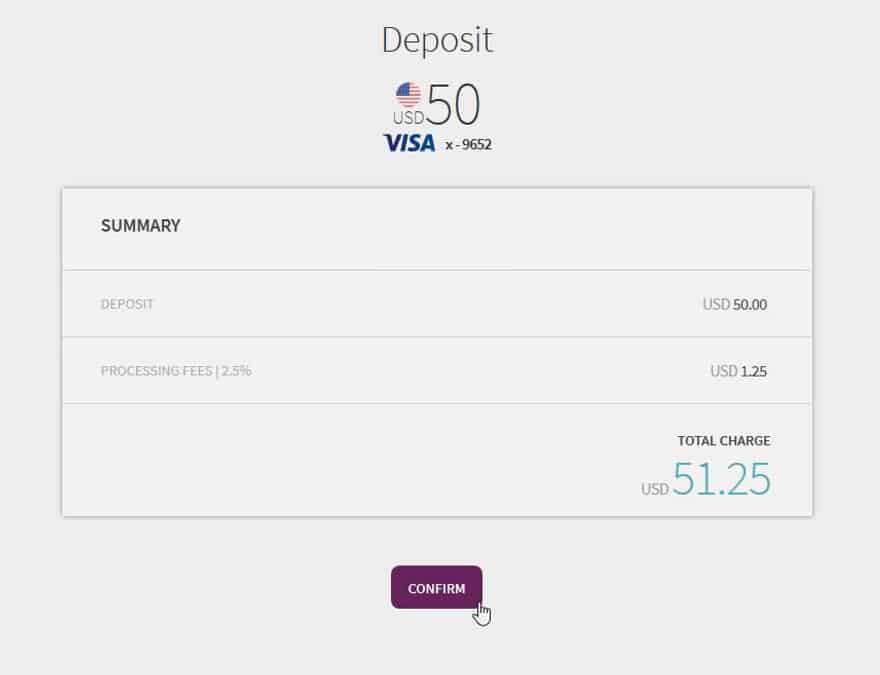
You can use international payment cards, both credit and debit versions, issued by Visa or Mastercard to deposit money into your Skrill account. The processing fee for transferring money to Skrill via card is 2.5%. For example, if you want to deposit $50, the transaction fee will be $1.25. If you fund Skrill using your card, the money will show up in your account balance immediately.
How to deposit Skrill account with Visa
To add money to your Skrill wallet, follow the steps below:
Step 1: Log in to your Skrill wallet account
Navigate to the official Skrill website or open the Skrill mobile app. Enter your registered email address and password to log in.
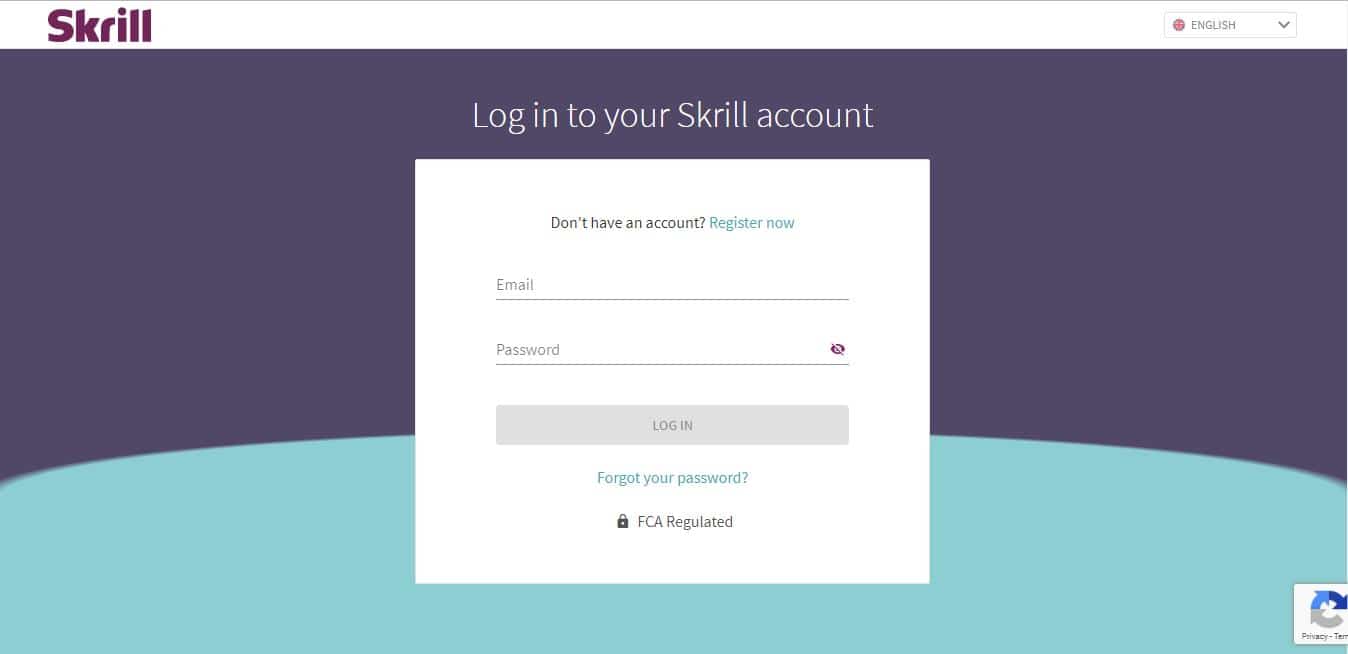
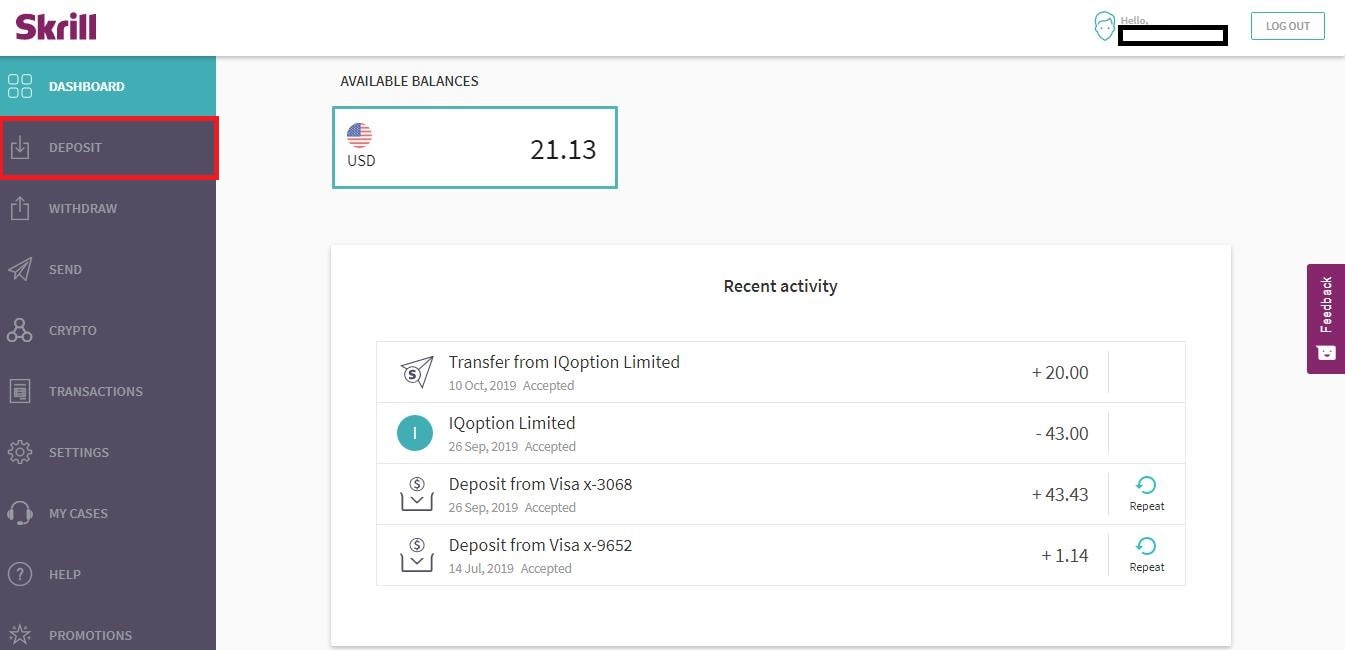
Step 2: Select “Deposit” on the Dashboard page
Once inside the dashboard, locate the left sidebar navigation menu and click on the “Deposit” tab.
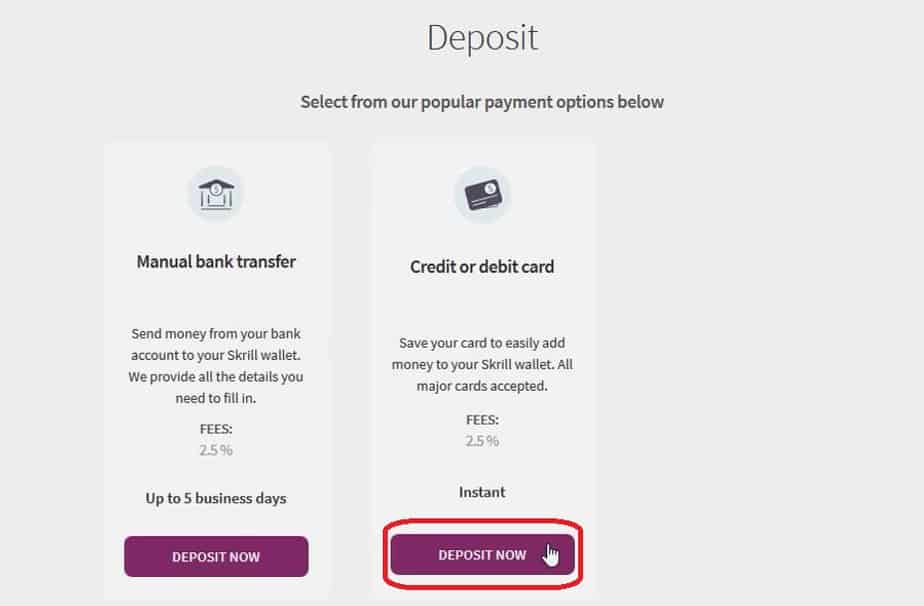
Step 3: Click “Deposit Now” in the Credit or Debit card box
You will see various deposit options (Bank transfer, Cards, Neteller, etc.). Look for the Credit or Debit Card section and click “Deposit Now”.
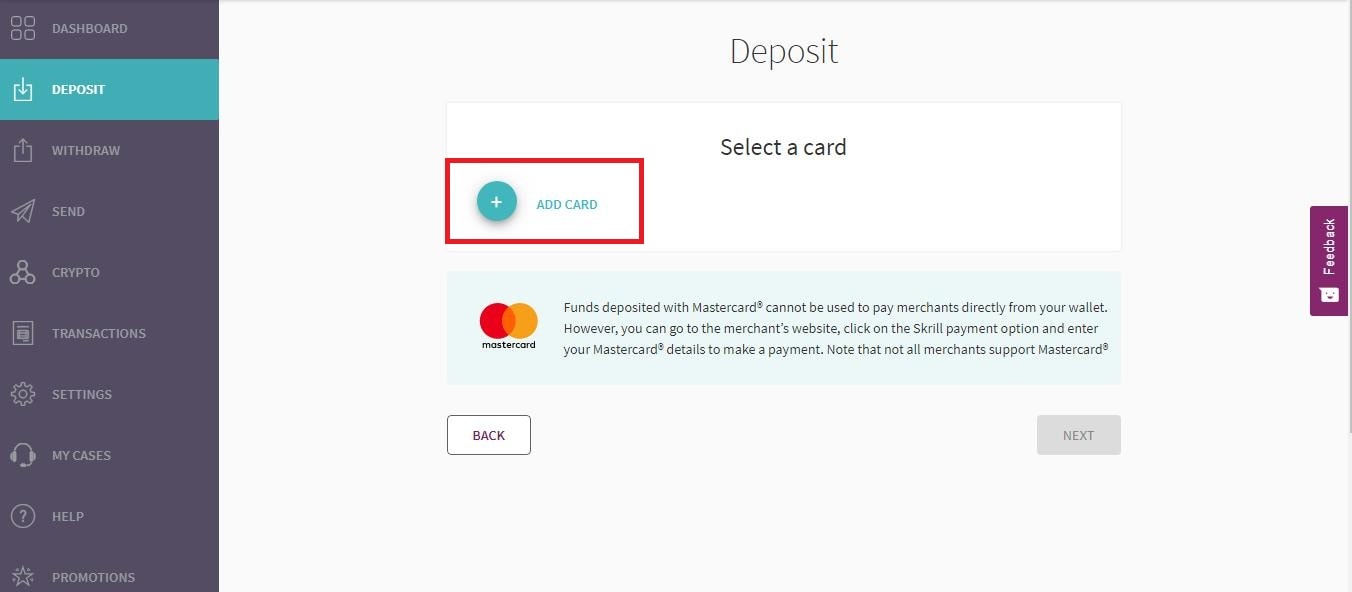
Step 4: Click “Add Card” to register your card
If this is your first time depositing, you will need to link your card to your Skrill account. Click the “Add Card” option.
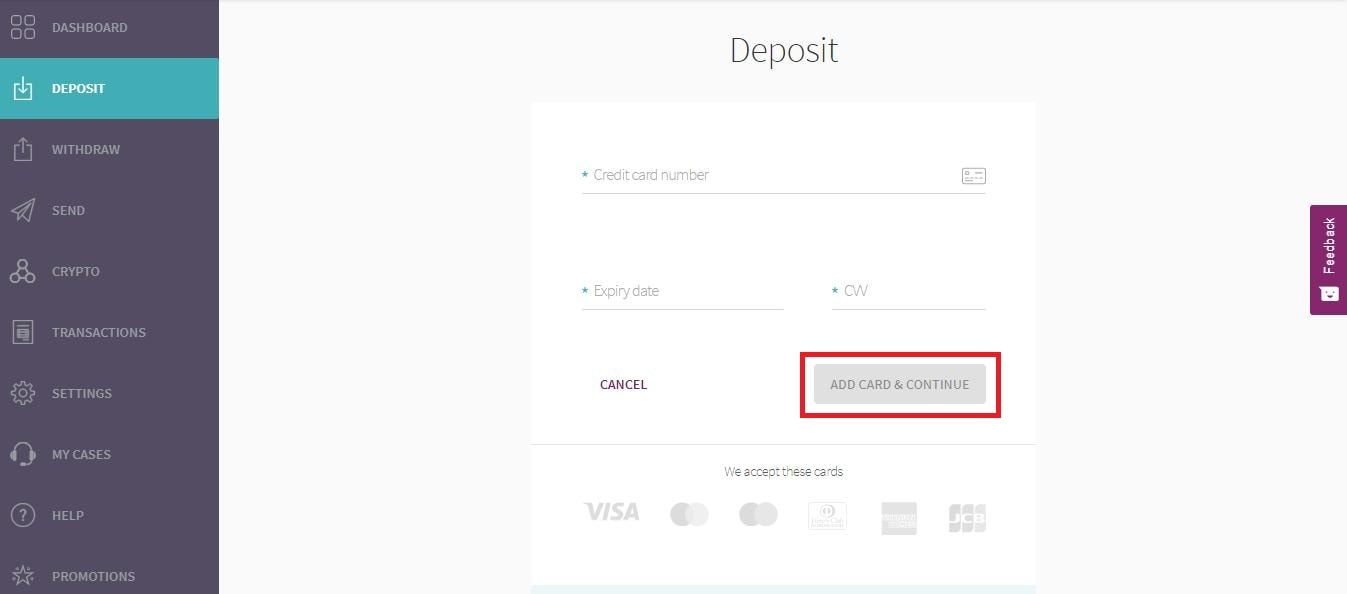
Step 5: Fill in your card information
Enter your 16-digit card number, the expiry month and year, and the 3-digit CVV/CVV2 code located on the back of your card. Then, click “Add Card & Continue”.
Step 6: Enter the amount you wish to deposit
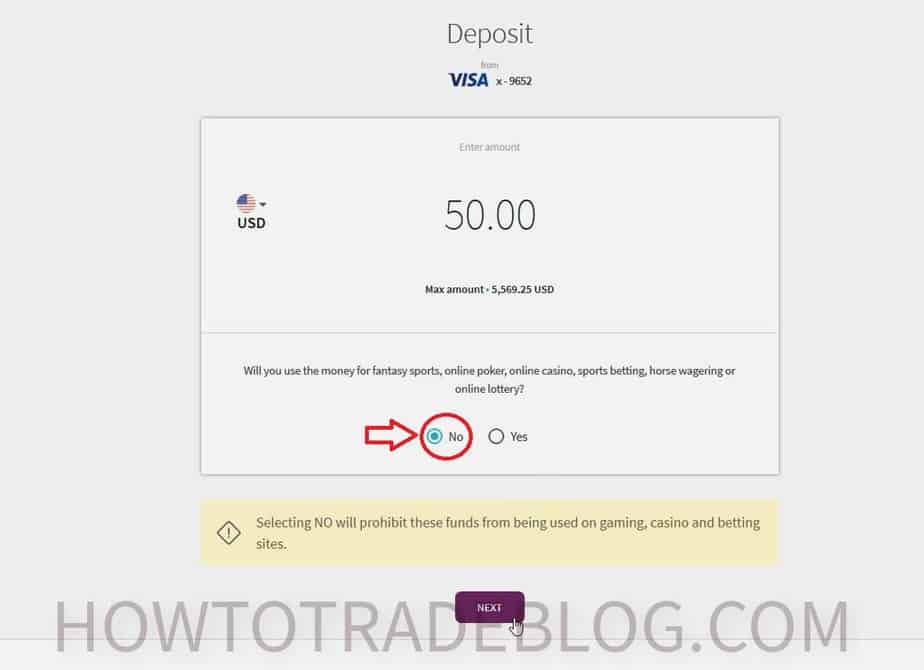
Input the amount of money you want to transfer. Under the purpose of funds question, select **”No”** to confirm these funds will not be used for gambling or betting activities (this is required by many banks to allow international transactions). Click **”Next”**.
Step 7: Confirm the amount and fees
Review the transaction summary. Ensure the deposit amount, 2.5% processing fee, and total charge are correct. Click **”Confirm”**.
Step 8: Complete the 3D Secure verification
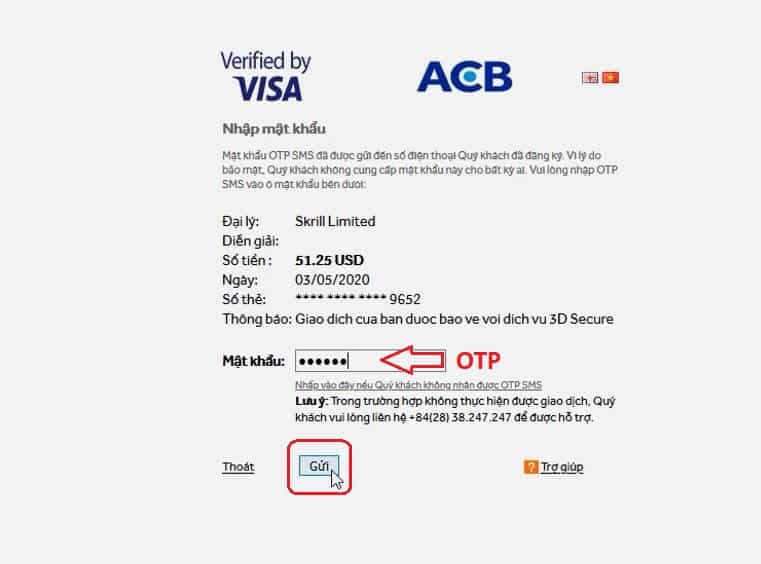
You will be redirected to your bank’s 3D Secure page. Enter the One-Time Password (OTP) sent to your registered phone number or email by your bank to authorize the transaction.
Once validated, the screen will display a “Deposit successful” message. The money will immediately appear in your Skrill balance.
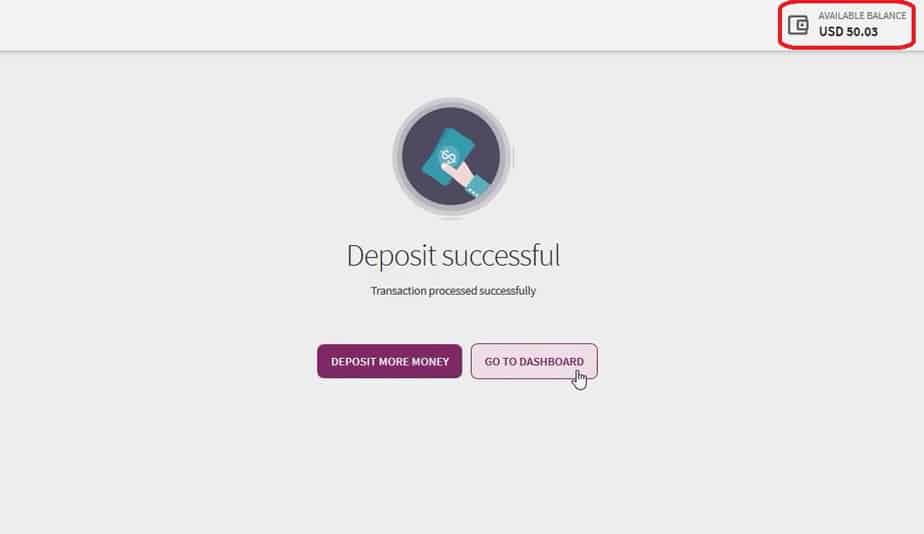
Navigate back to your account dashboard to check and confirm your updated balance details.
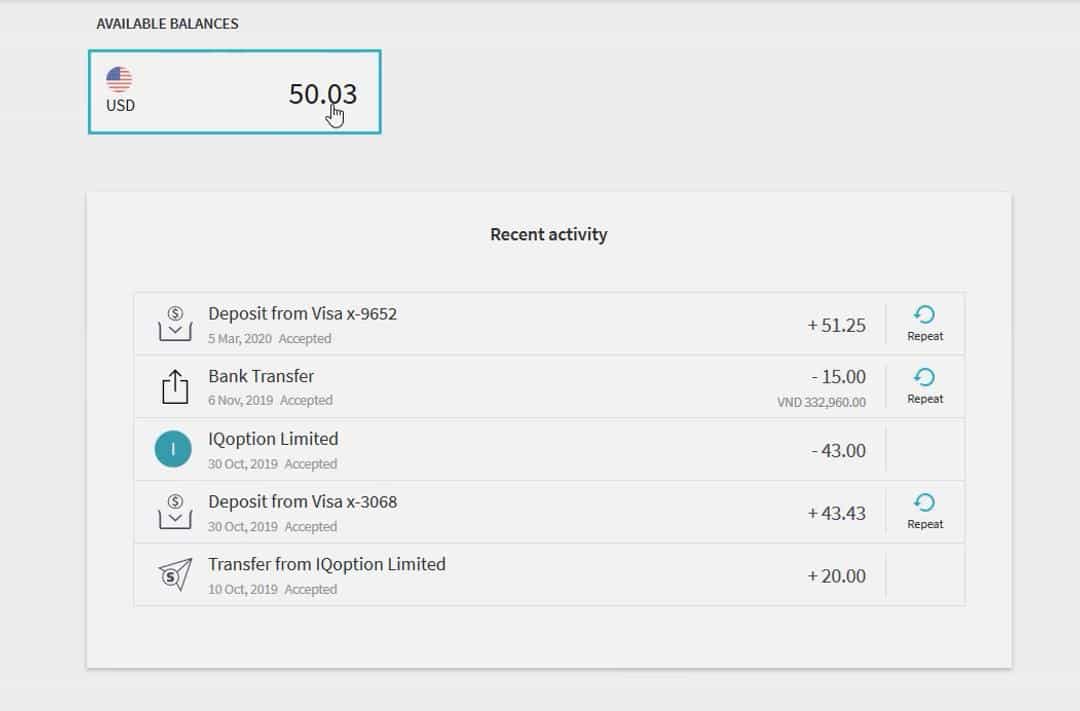
Troubleshooting common card deposit issues
If your card deposit was declined, check these common reasons:
- 3D Secure (3DS) is disabled: Skrill requires 3DS verification. Contact your bank to ensure 3D Secure is enabled on your card.
- International block: Since Skrill is based in Europe, your local bank might block the transaction. Call your bank to authorize international transactions.
- Name mismatch: Ensure the name on your card matches the registered name on your Skrill profile. Third-party card deposits are strictly prohibited.
- Insufficient limit: Check your bank’s daily online transaction limits and ensure your card has sufficient funds to cover the deposit plus the 2.5% fee.
Conclusion
Depositing funds to Skrill using your Visa or Mastercard is the fastest way to fund your trading accounts. While it incurs a 2.5% fee, the instant processing ensures you never miss a market opportunity.
Frequently Asked Questions: Card Deposits to Skrill
Are card deposits to Skrill instant?
Yes, deposits using Visa or Mastercard are processed instantly. The funds will appear in your Skrill wallet balance immediately after you authorize the payment.
What is the deposit fee for credit and debit cards?
Skrill charges a flat 2.5% transaction fee for all credit and debit card deposits. If your deposit involves a currency conversion, additional conversion fees may apply.
Why does Skrill ask if the deposit is for gambling?
Due to local financial regulations and credit card issuer policies, funds deposited for gambling purposes cannot be used for non-gambling transactions (like withdrawing to a bank). If you plan to fund a trading broker, always select “No” to indicate non-gambling funds.
Can I use someone else’s credit card to deposit?
No, third-party deposits are strictly forbidden. The name on the credit or debit card must exactly match the name on your Skrill account, or the transaction will be declined and your account could be restricted.
About the Author
This payment guide was written by the How To Trade Blog technical support team. We help traders optimize their transaction flows and wallet configurations. Investments in financial assets carry high risks.

![How to register Neteller, deposit and verify account [Updated 2020]](https://howtotrade.blog/wp-content/uploads/2020/03/how-to-register-neteller-deposit-and-verify-account-updated-2020-324x160.jpg "How To Register Neteller, Deposit And Verify Account Updated [thoigian]")

When I asked my cousin how to deposit Skrill, he gave me this post, very good tutorial, thanks
oh man this is so good!! i’ve been trying to figure out the Skrill deposit for ages, its way clearer than other guides i’ve seen. i really appreciate the breakdown! 🔥💯🎉
That 2.5% fee kinda feels a bit steep, don’t it? i wonder if other top-up methods are prob less, makes you think eh? 😅
Oh, i remember trying to use my visa for skrill and it just wouldnt play proper. Is there a trick to it, or did i miss a cheeky step, mate? 😅
hmm that 2.5% fee sounds a bit dodgy, i kinda thought these things were free or proper cheap? is that normal? 😅
Oh, so this is about depositing Skrill for 2026? i dont understand why it says that… like, is this how its gonna work in the future or something? i had a proper nightmare with my visa last month trying to get some funds on there, ended up using a different method cos it was being so dodgy… hope its easier by then tbh! 🥲💸🤪🔥